Mission sequence
- Start the countdown and launch the shuttle.
- Watch smoke, fire, booster separation, and fuel tank separation.
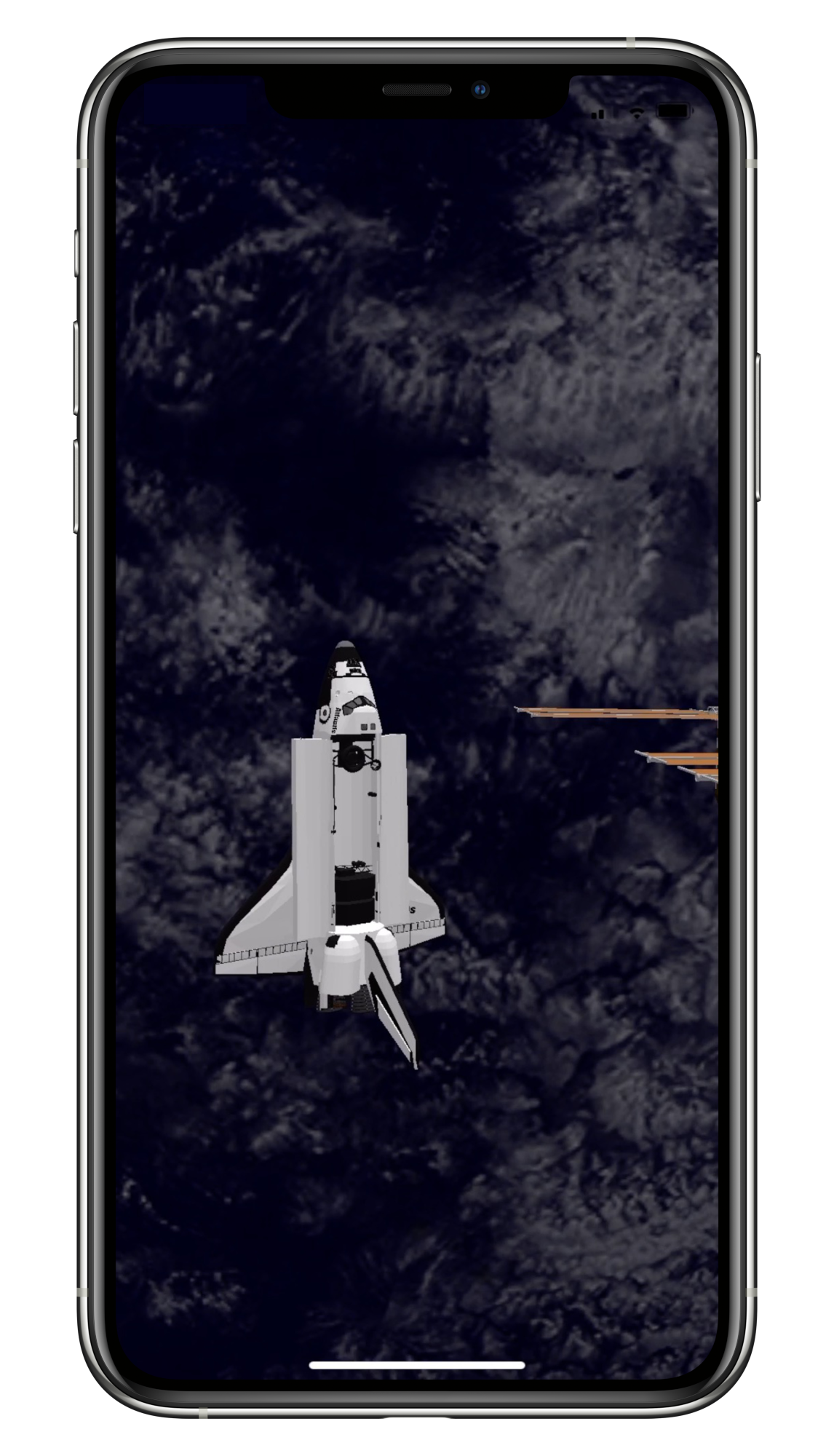
- Complete docking with the International Space Station.
Game App
Launch a virtual space shuttle in augmented reality, watch the mission sequence, and complete docking with the International Space Station.
Overview
Space Shuttle AR is an augmented reality space shuttle experience for iPhone and iPad. The app lets you place a virtual space shuttle mission into your real environment and watch the launch sequence through your device screen.
Take the role of launch director, run the countdown, launch the shuttle, watch booster separation, and complete a docking mission with the International Space Station.
Designed as a lightweight AR space experience, Space Shuttle AR is built for people who enjoy space, rockets, NASA-style missions, and visual augmented reality simulations.
Explore more apps at The New Life Enterprise homepage, including tools for work, learning, and everyday productivity.
About the App
Space Shuttle AR is an augmented reality app that recreates a space shuttle launch experience on iPhone and iPad. Instead of watching a normal video or animation, you can view the shuttle mission inside your real surroundings through AR.
The experience begins with a countdown and launch. During the mission, the shuttle rises from the launch pad, separates from its boosters and external fuel tank, and continues toward a docking sequence with the International Space Station.
The app is designed to be simple and visual. It does not require complex controls. Users can enjoy the mission sequence, move around to view the shuttle from different angles, and experience a space-themed AR simulation in a safe open area.
If you like space apps, rocket launches, augmented reality, or shuttle missions, Space Shuttle AR offers a simple way to bring a virtual space mission into the real world.
Experience
Space Shuttle AR focuses on the feeling of watching a launch mission unfold in augmented reality. The shuttle, launch pad, effects, and mission sequence appear through the camera view of your iPhone or iPad.
Because it uses AR, the experience works best in a safe, open space where you can look around and view the shuttle from different positions.
Support
Learn what to expect from the mission and how to use Space Shuttle AR safely.
Space Shuttle AR is available on the App Store for supported iPhone and iPad devices.
Space Shuttle AR supports iPhone and iPad models with an A9 chip or later. The app requires iOS 11.0 or later.
Use this app only in safe places. Failure to pay attention to the surrounding area could result in serious injuries. You assume total responsibility and risk for using this app.